

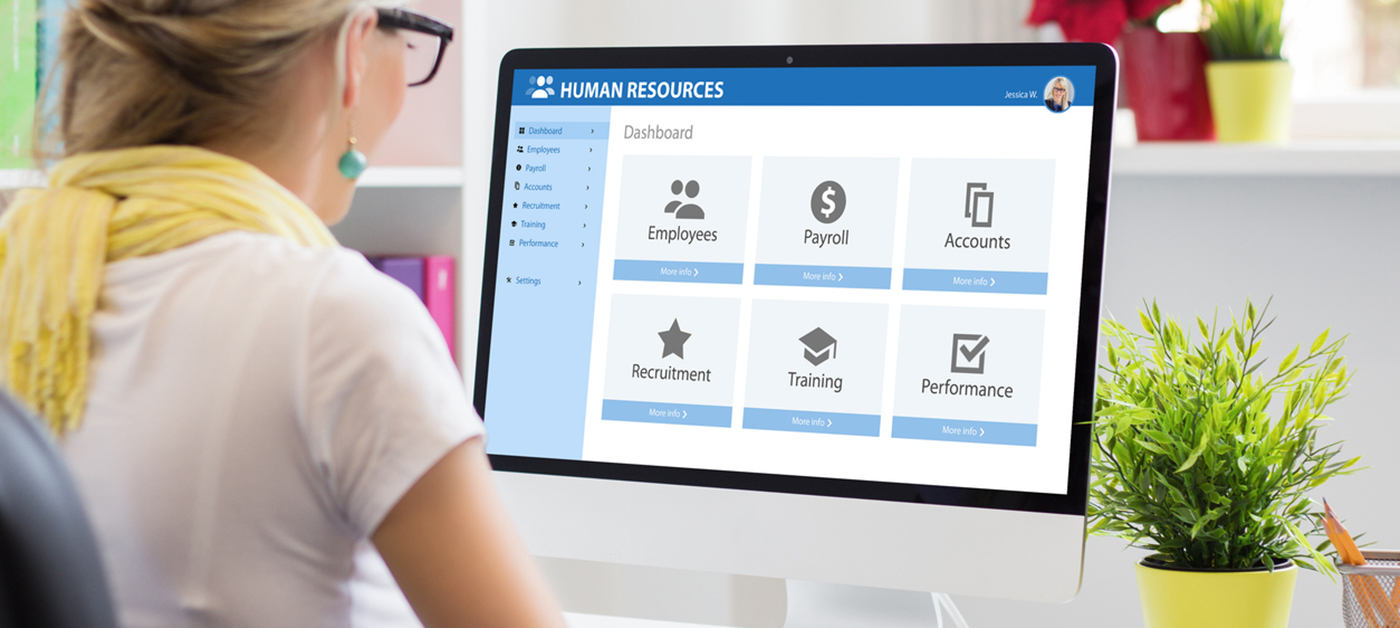
Every law firm HR team knows the frustration of answering the same employee benefits questions on repeat. The information exists but is scattered across shared drives and old emails, so employees default to HR instead of searching on their own.
AI in law firm HR offers a practical solution. It doesn’t replace HR, but rather takes documents HR teams already own and turns them into searchable, self-service tools. This article focuses on safer, document-based use cases that help teams stop constantly chasing and re-explaining the same information.
Why AI in Law Firm HR Should Start With Existing Documents
Between benefits PDFs, enrollment forms, policy documents, carrier materials, CLE records, and performance review files, there’s certainly no shortage of HR information available.
The problem is that answers are scattered. Enrollment deadline dates are posted in an email thread from last month. Policy PDFs are in a different drive than brochures. And CLE confirmations are in a training portal, while status updates are in a spreadsheet.
Because of the different locations and formats, employees default to asking HR, creating a cycle of repetitive questions that drains the team.
AI in law firm HR breaks the cycle. Teams can take existing materials and make them searchable, interactive resources. And firms don’t need to overhaul the tech stack to do it:
- Start by gathering HR, benefits, and policy documents;
- Give AI clear instructions on what to do with the information;
- Let AI assemble a self-service tool employees can use for FAQs.
Use Case One: Build a Self-Service Benefits Portal
Benefits questions are usually the most frequent HR inquiries. Employees constantly request copies of enrollment documents or need insurance policy information but don’t have a single place for forms, plan details, FAQs, and office-specific information. Using AI to build a self-service benefits portal is a practical first step in HR automation for law firms.
What the portal can include
The portal is a reliable starting point for employees. The key components should include:
- Office-based benefit options: Information on benefits packages and policies, broken down by office locations like Chicago, Denver, or New York
- Policy details: Medical, dental, vision, HSA, FSA, life insurance, and disability information
- Enrollment forms and plan summaries: Direct access to PDFs, summaries of benefits, and forms employees can complete for coverage.
- FAQs: Answers to common questions about coverage, deadlines, and procedures.
- Approved resource links: Curated connections to carrier portals and official HR documents employees can trust as a source
- Search functionality: Employees can find what they need via keyword tags
- Employee need-based navigation: Simple paths such as “I’m new,” “Something changed,” “I need a form,” or “I need to compare plans”
How this helps HR
Give employees one place to go for their questions and documents, and HR can avoid dealing with the same inquiries week after week. They can also keep benefits resources more organized over time. Meanwhile, employees don’t have to hunt down information across emails and shared drives. It provides a better employee experience without adding another manual process to an already-busy law firm.
Use Case Two: Create a CLE and Licensing Tracker
CLE and license tracking burdens law firms. HR teams need a clear view of attorney requirements, deadlines, credits, and course completion status for compliance and to ensure firm associates are qualified to practice.
What the tracker can show
The tracker consolidates key compliance data in one place:
- Attorneys by office, jurisdiction, or practice specialty
- CLE credit requirements per state
- Completed credits and courses
- Ethics credits (where required)
- Compliance status (who is current and who is not)
- Deadlines for upcoming requirements
- Action-needed flags to identify attorneys requiring follow-up
Why this matters for law firms
A single, central dashboard shows who is compliant, who is on track, and who needs action to maintain CLE credits. It gives HR and professional development teams clarity they cannot get from scattered spreadsheets.
Firms can start with state rules, attorney transcripts, CSV files, PDFs, or existing spreadsheets. From there, AI can organize the data into a dashboard, letting HR spend less time chasing data across files and spot licensing issues before they create compliance risks.
AI Can Also Help With Reviews and Benefits Calculators
A self-service portal and compliance visibility are both document-based. AI uses existing materials to generate something helpful. But law firm AI adoption offers two secondary use cases that extend the same approach:
Review summaries
Whether a shareholder meeting or a one-on-one between a manager and employee, at some point, someone needs to convert handwritten notes into a next step.
HR teams can feed appropriately anonymized or approved review materials into an AI tool, provided they’ve been vetted for confidentiality and comply with the firm’s data protection policies. From there, they can ask AI to identify themes, organize comments, and prepare a structured summary.
HR must review and verify any AI-generated themes or summaries before using them in a formal review process. AI can assist, but human oversight still plays a role in the outputs.
Benefits calculators
Within a benefits portal, AI can add fields or sliders that let employees instantly see payroll deduction estimates or benefit costs on screen as they alter:
- Dependents
- Beneficiary ages
- Plan choices
- Deductibles
- Premium options
The AI can create interactive fields and logic for the calculator based on the firm’s benefit rates. Again, the final AI-generated tools providing the calculations need verification before employees rely on them.
Why Folder Hygiene Matters Before Using AI
The quality of AI output directly depends on the source material. When documents are organized logically, such as by benefit type, office, policy area, or compliance category, AI can interpret and structure them more accurately.
Firms don’t need to clean up every old file or overhaul their entire database for success. They can start with current and upcoming documents, like next benefits years, and go from there.
Here’s a sample layout for folder structure:
Benefits Portal > Medical >
- Chicago
- Forms
- Policies
- Enrollment Documents
- Carrier Brochures
- United
- BlueCross
- Anthem
- Denver
- New York
Security Comes Before HR Uploads Documents Into AI Tools
Firms should identify what information is safe to upload into AI tools before any project, and set up strict access and data protection controls. HR and IT should also establish clear criteria for document classification. A tiered-access model could help with setting the rules:
- Tier 1: General and public materials such as benefits summaries, carrier brochures, FAQs, and plan documents typically represent lower risk and wide upload approval.
- Tier 2: Employee-specific files, including enrollment forms containing employee names and benefits elections, should be restricted to only the HR team.
- Tier 3: Confidential information like payroll details, performance review notes, and PII requires stricter controls and should be uploaded only with explicit approval.
Security in AI and legal HR support is also about the tools selected. Firms should restrict the use of HR documents to approved business or enterprise AI platforms that meet strict security and data-handling requirements. These can include providers like Microsoft Copilot, ChatGPT business/team plans, and Claude team. HR, IT, and leadership teams should agree on security and governance before using AI with HR materials.
Where IT Should Fit Into AI Projects for HR
HR decides the business need by establishing questions the tool answers and which documents it requires. Meanwhile, IT enables safe execution by:
- Selecting the approved tools that meet security and governance requirements
- Determining where internal dashboards and portals should live, such as in SharePoint and intranet pages
- Controlling user and admin privileges, and identity and access management to HR resources
- Preventing sensitive documents from being uploaded to the wrong place by creating policies and installing technical guardrails
It’s a collaborative effort between HR and IT. HR defines the need while IT ensures secure AI adoption into the infrastructure.
How to Start With AI in Law Firm HR
Law firms can adopt AI in HR by starting with a single, high-friction HR question that drains time. For example, it might focus on “What are my medical plan options for 2026?”
Start by gathering approved source documents that answer the question. Use only current, verified versions, then organize these files into a dedicated folder with clear subfolders by topic so AI has material to work with. That might look like Medical > Chicago > 2026 Enrollment > Policy Forms.
Next, write plain-English instructions that prompt the tool what to include, what to exclude, and how to structure outputs. Here’s an example:
Pull medical plan details from the Los Angeles folder, exclude 2025 documents, and organize as an FAQ with plan names, coverage highlights, and links to PDFs.
From there, prompt AI to generate the first version of the internal tool, and review all outputs thoroughly for accuracy before employees see it. Once verified, HR teams should collaborate with IT to host the tool on SharePoint or an intranet page. Finally, assign an owner to update the resource whenever policies, rates, forms, or source documents change.
FAQs About AI in Law Firm HR
How can law firm HR teams use AI?
HR teams at law firms can use AI to make the most of the documents they already own. It can answer FAQs and address issues in self-service benefits portals, track CLE credits and compliance, summarize shareholder notes or performance reviews, and calculate benefits offerings to help employees better understand their options.
Can AI replace HR in a law firm?
No, AI can’t replace HR in a law firm. It can handle repetitive document-location and policy questions, freeing up personnel, but HR still owns the outcomes. It’s that team’s responsibility to provide employee support, review, judgment, and compliance oversight.
Is it safe to upload HR documents into AI tools?
It depends on the document risk levels. General benefits documents carry lower risk than employee-specific files. Firms should use only approved business or enterprise AI tools and define upload rules before using HR materials to maintain data security.
What HR documents can AI help organize?
Benefits PDFs, enrollment forms, policies, carrier documents, FAQs, CLE records, attorney licensing materials, and review feedback. Not every document is safe to upload, which is where data governance plays a role in data security.
Where should AI-created HR tools live?
AI-created HR tools should live on approved internal systems such as SharePoint, intranet pages, or shared drives per guidance from IT or a managed IT provider. IT plays a role in where AI lives by evaluating security requirements, access needs, and integration with existing infrastructure. They ultimately ensure permissions, user access, and technical controls meet the governance policy.
Make AI in Law Firm HR Useful Without Creating New Risk
AI in law firm HR can start today. Teams don’t need a brand-new software build or an overhaul of the entire database hierarchy. The best projects often start with an FAQ, answered by documents the firm already has. Combine a solid folder structure, secure AI practices, and responsible human oversight, and law firm AI adoption doesn’t have to feel like a risky transformation project.
Need help creating a secure AI adoption plan for your law firm? Xantrion can help your team evaluate tools, protect sensitive data, and build AI workflows that fit your firm’s security requirements.
